
Bulk Photo Restoration
Upload up to 100 photos. See the price before you pay. Get them back restored in 24 hours.
Not sure if your photo is ready? See the prep guide
Photos are processed by Google Gemini AI or OpenAI. Originals and results are retained for 30 days, then deleted. See our Privacy Policy for details.
How Bulk Works
- 1
Upload
Drag in up to 100 photos. JPEG, PNG, HEIC, or WebP.
- 2
Pick a level
Enhance, Full Restore, or Premium. Each photo can use its own level.
- 3
See the price
Exact quote before checkout. Per-photo cost plus one flat fee.
- 4
Get them back
Most orders finish within 24 hours. Download as a single ZIP.
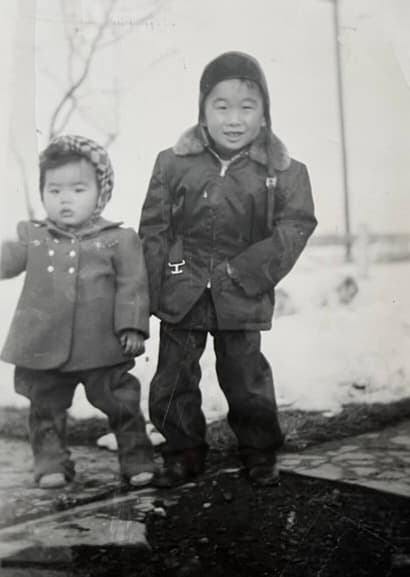
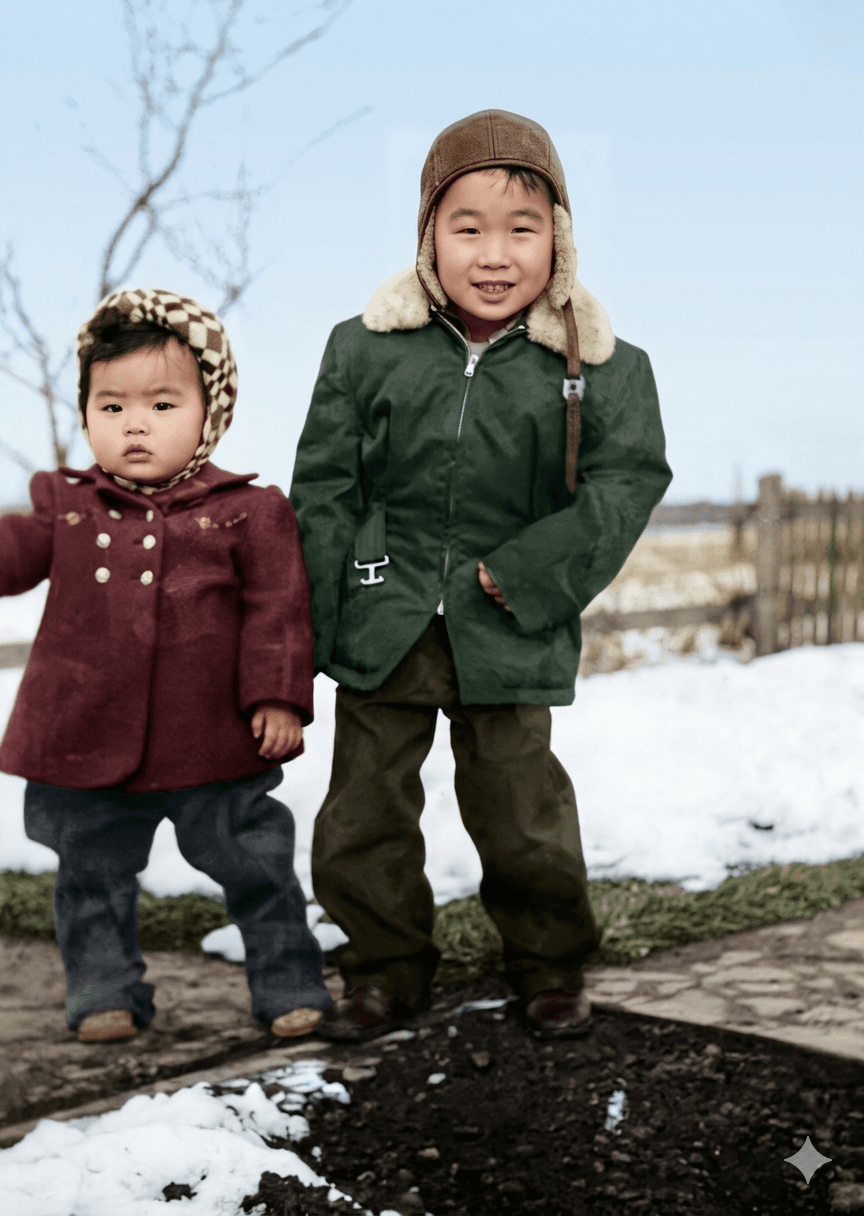
A Sample of What We Restore
Pricing
Bulk pricing starts at $0.15 per photo for Cleanup. Choose a higher level (Enhance, Full Restore, Premium) when a photo needs more work. One flat platform fee per order.
See the full breakdown on the pricing page.
What's Restored
- Fading and yellowing. We rebuild contrast and recover the original tones.
- Tears, creases, and scratches. Physical damage is filled in based on the surrounding image.
- Color loss and color shifts. Old color prints often turn pink or green; we correct the cast.
- Soft focus and low resolution. We sharpen detail in faces, eyes, and clothing.
- Black-and-white to color. Optional colorization for portraits and group shots.
- Phone photos of prints. Glare, angle, and shadow from photographing an old print get cleaned up. Want to try one yourself first? See the DIY guide.
Trust and Privacy
- Your originals are untouched. We work on copies; the files you upload stay as you sent them.
- No training on your photos. Your images are not used to train AI models.
- 30-day retention. Originals and restored results auto-delete after 30 days. Save your downloads.
- Refund policy. If a restoration is not usable, we will rework it or refund. See our refund policy.
Bulk Restoration FAQ
What is bulk photo restoration?
Bulk photo restoration lets you upload many old photos at once, pick a restoration level, and pay one price for the whole batch. You get every photo back restored, usually within 24 hours.
How many photos can I upload in one batch?
Up to 100 photos per order. For larger archives, split them across multiple orders or contact support and we will help.
Do I see the price before I pay?
Yes. After you upload your photos and choose a restoration level, you see the full price (per-photo cost plus a flat platform fee) before checkout. No surprises.
What file types do you accept?
JPEG, PNG, HEIC, and WebP. Phone photos of old prints work well — check the prep guide for tips on lighting and framing.
Are my originals safe?
We never modify your originals. Uploaded files and restored results are stored for 30 days, then deleted. We do not train AI models on your photos.
More questions? Visit the full FAQ or contact us.